
Understanding Bounce Rate: What It Really Means and When to Ignore It

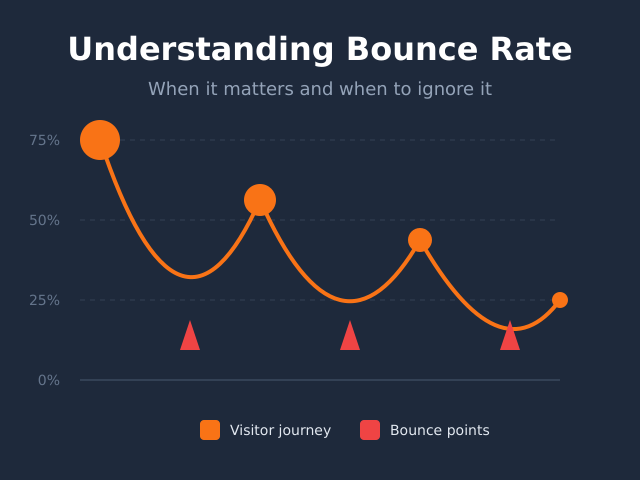
Your analytics dashboard shows a 75% bounce rate. Panic sets in. Is your website broken? Are visitors running away in horror?

Probably not. Bounce rate is one of the most misunderstood metrics in web analytics. It sounds alarming, but the number alone tells you almost nothing. Context is everything.

In this guide, I’ll explain what bounce rate actually means, how it’s calculated differently in GA4 versus older analytics tools, when a high bounce rate is genuinely problematic, and — perhaps most importantly — when you should ignore it entirely.

What Is Bounce Rate?

At its simplest, bounce rate measures the percentage of visitors who land on a page and leave without taking any further action. They arrive, they see one page, they’re gone.

Think of it like a physical store. A “bounce” is someone who walks through the door, glances around for a few seconds, and walks right back out. No browsing. No conversation. Just in and out.

However, there’s a crucial distinction between the old and new definitions — and it matters more than most people realize.

The Traditional Definition (Universal Analytics)

In Universal Analytics (the previous version of Google Analytics), bounce rate was straightforward:

Bounce Rate = Single-page sessions ÷ Total sessions × 100

If someone visited your homepage and left without clicking anything else, that counted as a bounce. Period. It didn’t matter if they spent 10 minutes reading every word on the page. One page = bounce.

This created a significant problem: a visitor could have an excellent experience, find exactly what they needed, and still count as a “bounce.”

The GA4 Definition (Engagement-Based)

Google Analytics 4 fundamentally changed how bounce rate works. In GA4, bounce rate is the inverse of engagement rate:

Bounce Rate = 100% – Engagement Rate

A session is considered “engaged” if it meets ANY of these criteria:

  • Lasts longer than 10 seconds
  • Has at least 2 page views
  • Triggers a conversion event

Consequently, if someone spends 30 seconds reading your blog post and then leaves, they’re NOT a bounce in GA4 — even though they only viewed one page. This is a much more sensible approach to measuring actual engagement.

Comparison of bounce rate definitions in Universal Analytics vs Google Analytics 4

Good Bounce Rate vs. Bad Bounce Rate

Here’s the honest truth: there’s no universal “good” or “bad” bounce rate. It depends entirely on your page type, industry, and what you’re trying to achieve.

That said, here are some general benchmarks to provide context:

Bounce Rate RangeGeneral Assessment
26-40%Excellent
41-55%Average
56-70%Higher than average
70%+Potentially concerning (but context matters)

However, these numbers mean nothing without considering your specific situation. A 70% bounce rate on a blog might be perfectly fine. A 70% bounce rate on a checkout page is a disaster.

Bounce Rate Benchmarks by Industry

Different industries naturally have different bounce rate patterns:

IndustryTypical Bounce Rate
E-commerce20-45%
B2B25-55%
Travel30-45%
Real Estate30-50%
Media/Publishing40-60%
Healthcare55-70%
Blogs65-90%
Landing Pages60-90%

As you can see, blogs and landing pages naturally have higher bounce rates. That’s not a failure — it’s the nature of those page types. For more context on what metrics actually matter, check out our guide to the top 5 website metrics demystified.

When High Bounce Rate Is Actually a Problem

A high bounce rate becomes concerning in specific situations. Here’s when you should pay attention:

1. E-commerce Product Pages

If visitors land on product pages and immediately leave, something is wrong. They should be adding to cart, viewing related products, or at least browsing other categories. A high bounce rate here often indicates pricing issues, poor product descriptions, or trust problems.

2. Paid Traffic Landing Pages

When you’re paying for traffic (PPC, paid social, display ads), every bounce represents wasted money. If your paid landing pages have bounce rates above 70%, you’re essentially burning budget. This usually means a mismatch between ad promise and page content.

3. Homepage

Your homepage should encourage exploration. High bounce rates here suggest visitors aren’t finding what they expected, navigation is confusing, or the page loads too slowly.

4. Multi-Step Processes

Sign-up flows, checkout processes, or any page that’s part of a sequence shouldn’t have high bounces. If people are abandoning mid-process, there’s friction somewhere that needs fixing. Learn more about identifying these issues in our funnel analysis guide.

When to Ignore Bounce Rate Completely

Here’s the counterintuitive part: sometimes a high bounce rate is exactly what you want. In these situations, stop worrying about the number:

When to worry about bounce rate versus when to ignore it

1. Blog Posts and Articles

Someone searches “what is bounce rate,” finds your article, reads it, gets their answer, and leaves. That’s a success, not a failure. They accomplished their goal. You helped them. The fact that they didn’t click around to read five more articles doesn’t make the interaction worthless.

2. Single-Purpose Pages

Contact pages, FAQ pages, pricing pages — these often exist to answer a specific question. Once answered, visitors leave. That’s the intended behavior.

3. Reference Content

Documentation, how-to guides, and reference materials naturally have high bounces. People come for specific information and leave when they have it. Forcing them to click more pages wouldn’t improve their experience.

4. Organic Traffic to Informational Content

When traffic is free (SEO, organic social), bounce rate becomes much less critical. The visitor cost you nothing. If they got value and left, that’s fine. Focus instead on whether the right people are finding your content.

What Actually Causes High Bounce Rates

When bounce rate IS a problem, it usually comes down to a few common causes:

Top 5 causes of high bounce rate: slow load time, content mismatch, poor mobile experience, intrusive pop-ups, confusing navigation

Slow Page Load Times

This is the number one killer. If your page takes more than 3 seconds to load, visitors are gone before they even see your content. According to Google’s research, bounce probability increases 32% as page load time goes from 1 to 3 seconds.

Content-Traffic Mismatch

Visitors arrive expecting one thing and find another. Your meta description promises “complete guide” but the page has 200 words. Your ad says “free trial” but the page immediately asks for credit card info. Mismatch equals bounce.

Poor Mobile Experience

Over 50% of web traffic is mobile. If your site isn’t mobile-friendly — tiny text, buttons too small to tap, horizontal scrolling — mobile visitors bounce immediately.

Intrusive Elements

Pop-ups that appear before content loads. Auto-playing videos with sound. Cookie banners that cover the entire screen. These annoyances drive visitors away instantly.

Confusing Navigation

If visitors can’t figure out where to go next, they go away. Clear calls-to-action, logical menu structure, and obvious next steps all reduce bounces.

How to Reduce Bounce Rate (When It Matters)

If you’ve determined that your bounce rate is genuinely problematic, here are practical fixes:

  1. Speed up your site. Optimize images, enable caching, minimize code. Use Google PageSpeed Insights to identify specific issues.
  2. Match content to intent. Make sure your page delivers what the headline and meta description promise.
  3. Improve above-the-fold content. The first thing visitors see should clearly communicate value and relevance.
  4. Add clear CTAs. Tell visitors what to do next. Don’t make them guess.
  5. Optimize for mobile. Test on actual devices, not just browser simulators.
  6. Remove friction. Kill unnecessary pop-ups, reduce form fields, simplify navigation.
  7. Use internal links. Give visitors paths to related content they might find valuable.

Better Metrics to Focus On

Instead of obsessing over bounce rate, consider these more meaningful metrics:

  • Engagement rate (GA4): Tells you if visitors are actually interacting with your content
  • Time on page: Did they actually read your content or immediately leave?
  • Scroll depth: How far down the page do visitors go?
  • Conversion rate: Are visitors completing the actions you want?
  • Pages per session: On pages where exploration matters, this is more useful than bounce rate

These metrics give you actionable insights. Bounce rate alone usually doesn’t. For a deeper dive into finding which pages actually perform well, see our guide on finding your most popular pages.

Bottom Line

Bounce rate is a context-dependent metric that’s frequently misunderstood. A high number isn’t automatically bad, and a low number doesn’t guarantee success.

Focus on bounce rate when it directly impacts business goals — paid landing pages, e-commerce product pages, homepages. Ignore it for blog posts, reference content, and single-purpose pages where visitors are meant to get information and leave.

Most importantly, don’t chase arbitrary benchmarks. Instead, understand what bounce rate means for YOUR specific pages and YOUR specific audience. That context makes all the difference.

Nathan Hollis

Written by

Nathan Hollis

Web analytics consultant with 15+ years of experience helping businesses turn raw data into actionable insights. I believe analytics should be practical, understandable, and — dare I say — enjoyable.

Leave a Comment